<img height="1" width="1" style="display:none" src="https://www.facebook.com/tr?id=1749631898577992&ev=PageView&noscript=1" />
Skip to Content
Solutions for education

The right technology in the classroom.
Whichever route you choose.

A ready-made package via a framework agreement, a solution built in our own factory, or a custom solution. We help you compare and deliver what suits your classrooms best.

  • Free advice
  • We supply every option
  • Procurable via framework agreement

Find the right route in a minuteBook a review

Photosynthesis CO₂ H₂O O₂ Carbon dioxide+ water+ light ↓ Sugar+ oxygen
✓One cable. Lesson up and running at 8:01.

What matters most to teachers

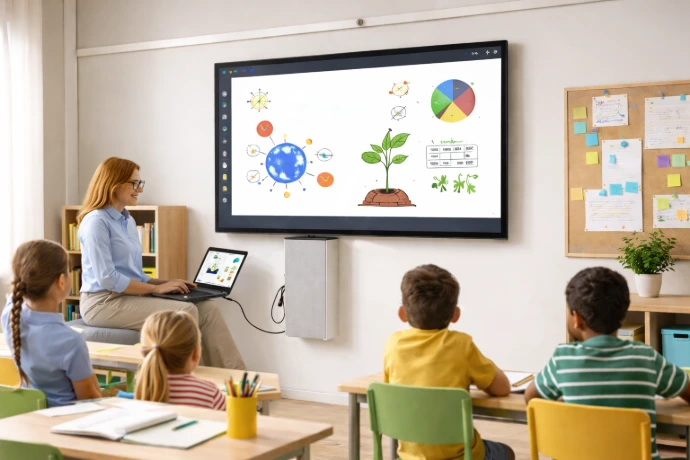
When we ask teachers what they want from classroom technology, the same three things keep coming up. It is rarely the technology that fails, but the installation around it.

Get started straight away

Plug in the laptop and start the lesson, without hunting for the right cable or calling IT.

×The problem today

No picture or no sound just as the lesson is about to start. Usually the fault is a loose connector or a worn cable.

No loose cables

A calm and safe classroom, where cables and sockets don't break or get in the way.

×The problem today

Cables break, get unplugged or disappear between lessons.

The same in every classroom

The same way to start in every room, so teachers and substitutes feel at home wherever they teach.

×The problem today

Every classroom is wired its own way, so anyone who changes rooms or covers a lesson has to start over.

about 12 hoursper classroom per year

Small interruptions add up. If five minutes are lost four days a week, that comes to about twelve hours of teaching per classroom over a school year. For a school with 30 classrooms, that is around 360 hours.

We assume 36 teaching weeks per school year.

That is why we compare the options below on exactly these points.

Three routes

Three ways to equip the front of the classroom

All three have their strengths, and we supply and install all three.

Compare

How they differ

The things that usually decide the choice for schools.

Not sure? We'll help you choose.
Call us on +46 8 555 369 00
1Standard solution

Ready-made package via framework agreement

A screen or projector with mount and speakers, called off via a framework agreement.

Via framework agreement
2Our recommendation

Factory-built solution

Our own products, prepared in our factory. Three levels, from a durable connection to a complete teacher station.

Connecto Mini, FlexPanel Basic and FlexPanel Education
3Custom solution

A consultant puts it together

A consultant chooses each part separately.

E.g. Epson, Sennheiser and Legamaster
Fast procurement and installation
✓Fastest, call off directly
✓Fast, everything is prepared
×Design work and several contractors
Adapted to the classroom
×The same package in every room
✓Three levels, any screen or projector
✓Fully custom
A connection built for everyday use
–Depends on the package
✓Durable, concealed connection at every level
–Depends on the solution
Cost
✓Lowest
–Low to medium, depends on level
×Highest
Right for you if
The same simple solution works in every classroom and you have a framework agreement that covers it.
Teachers need to get started quickly and you want to choose the level to suit needs and budget.
The room has special requirements, such as an auditorium, a lab or a large lecture hall.
  • ✓Strength
  • –Depends
  • ×Weaker
Book free AV adviceWe'll help you choose, whatever the option.
Three questions, one minute

Which route suits your classrooms?

Answer three questions and get a suggestion for which of the options above to look at more closely.

From first call to first lesson

Whichever option you choose, we take care of the whole thing.

  1. 1

    Free advice

    We go through the classrooms, the teaching and IT's requirements, preferably on site with you.

  2. 2

    You choose the solution

    We show the pros and cons of each option, so you can choose what suits you.

  3. 3

    We prepare everything

    We order, prepare and test as much as possible before delivery.

  4. 4

    Ready for the lesson

    Installation when it suits the school, for example during the holidays. After that, we're still here for support.

What our customers say

4.6 out of 5average rating for how our technicians treat customersFrom 88 customers who answered our survey after service, installation or delivery.

We are incredibly happy with your services! Booking and follow-up are smooth and the technicians are absolutely fantastic to deal with. A gold star every time!

One of our school customers, in our customer survey after service (translated from Swedish)

We are happy with the product and above all with the installer who came here. He was quick, efficient and friendly. Did a good job and explained how it worked.

One of our customers, in our customer survey after installation (translated from Swedish)
Our own products

If you choose the factory-built solution: three levels

Everything works with whichever screen or projector you choose. Contact us for a budget proposal at three levels.
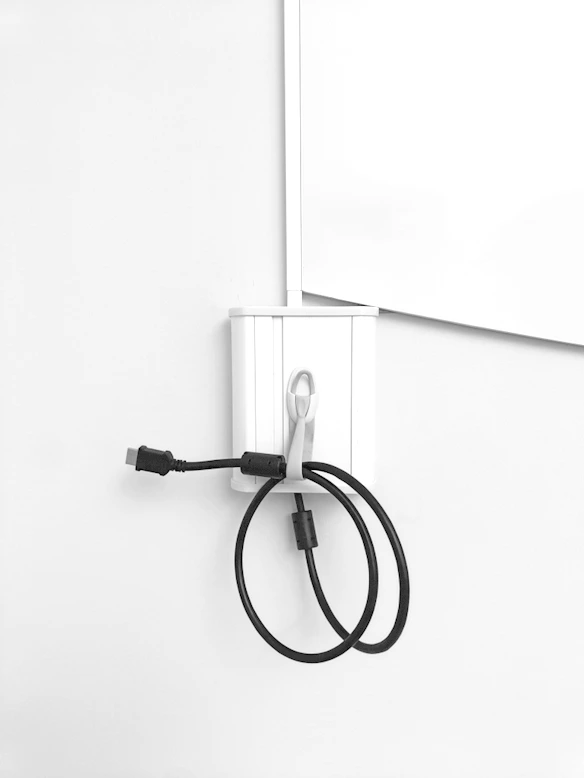
Connecto Mini mounted on the wall with HDMI and USB-C cablesLevel 1

Connecto Mini

No wall socket to break.

  • Concealed, strain-relieved connection under the screen
  • Easy to replace the cable, HDMI and USB-C
  • The cable can't be taken out of the room
Price level
Web shop →
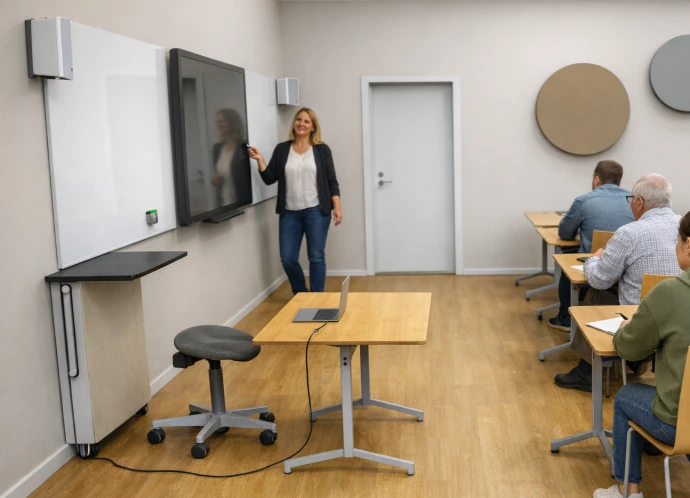
FlexPanel Basic under an interactive screen in a classroomLevel 2

FlexPanel Basic

Hides cables and equipment under the screen.

  • Protects the equipment from dirt and knocks
  • The docking station stays in place
  • Easy to maintain and upgrade
Price level
Web shop →
FlexPanel Education with a shelf under the boardLevel 3

FlexPanel Education

A technical piece of furniture developed together with teachers.

  • Everything in FlexPanel Basic
  • A shelf for a laptop and papers
  • Designed for schools, mounted under the board
Price level
Web shop →

Try before you decide

We're happy to bring our products so that teachers can try them in one of your classrooms. You can also see them in our OXC showroom.

Only need one or two classrooms? Connecto Mini can be ordered directly in our web shop →

Do the maths

An example for a school with classrooms. Feel free to replace the figures with your own.

120 000 krsparat per år, plus 45 timmar lektionstid

With ordinary wall sockets

SEK
pcs
min

With Connecto Mini

Replacing the cableA few seconds
Technician on siteNot needed

The example assumes the faults are in the socket or the cable, which is the most common case. The figures are estimates, not a quote.

For heads of education and municipalities

The same classroom across the whole municipality

When every classroom works the same way, teachers don't have to relearn anything when they change rooms, and IT gets fewer tickets. We take on the whole project, from the first sketch to support.

Call off via Kammarkollegiet

Framework agreement: AV och distansmöten (AV and remote meetings) · Agreement number: 23.3.-14452-2024

How to call off →

Standardised

The same solution and the same way to start in every classroom.

Fewer fault reports

Durable connections and concealed cabling reduce wear and tear.

Expand at your own pace

Start with a few classrooms and add more each year.

One contact all the way

Project management, installation, operations and support.

Book a free review of your classrooms

You get advice and a budget proposal at three levels before anything is decided.

  • Free of charge and with no obligation
  • Want to try first? Let us know and we'll bring a demo
  • Or call +46 8 555 369 00, or

We only use your details to contact you about the review.

Tre smarta 
lösningar för
skolan

Vi hjälper skolor att lägga mindre pengar på att tillfälligt laga tekniska problem 
- och få mer pengar över till att utveckla verksamheten. 

Utmaningarna  Lösning #1  Lösning#2  Lösning#3

Under många år har skolor behövt prioritera hårt: så mycket teknik som möjligt, till så låg kostnad som möjligt. Det har ofta inneburit att själva installationen fått bli “så enkel och snabb som går”.

I praktiken ser vi idag konsekvenserna. När vi besöker skolor är det nästan alltid installationen som sviker. Lösa kontakter, trasiga kablar, utrustning som inte är skyddad mot smuts, stötar och vardagsslitage. Själva produkterna går sällan sönder. Det är miljön runt dem som gör det.
Resultatet blir att man byter ut fungerande teknik i stället för att lösa grundproblemet. Det kostar pengar, tar tid och skapar onödiga avbrott i undervisningen utan att problemen egentligen försvinner.

Därför har vi tagit fram våra installationszoner: enkla, genomtänkta lösningar som skyddar anslutningar, kablar och teknik på plats. Installationerna går fortfarande snabbt men blir samtidigt robusta, säkra och långsiktigt driftsäkra.

Så här ser det ofta ut

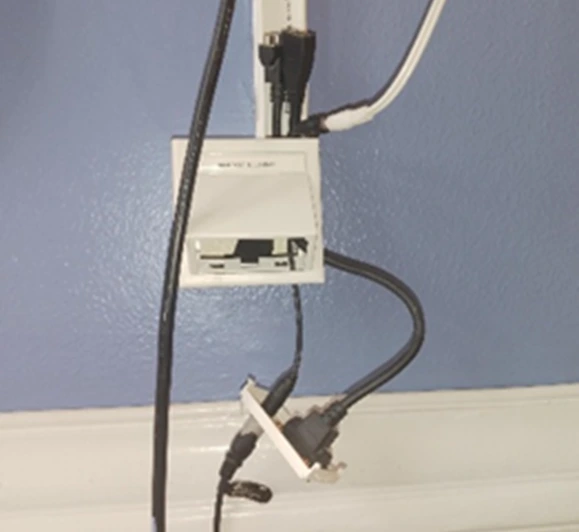
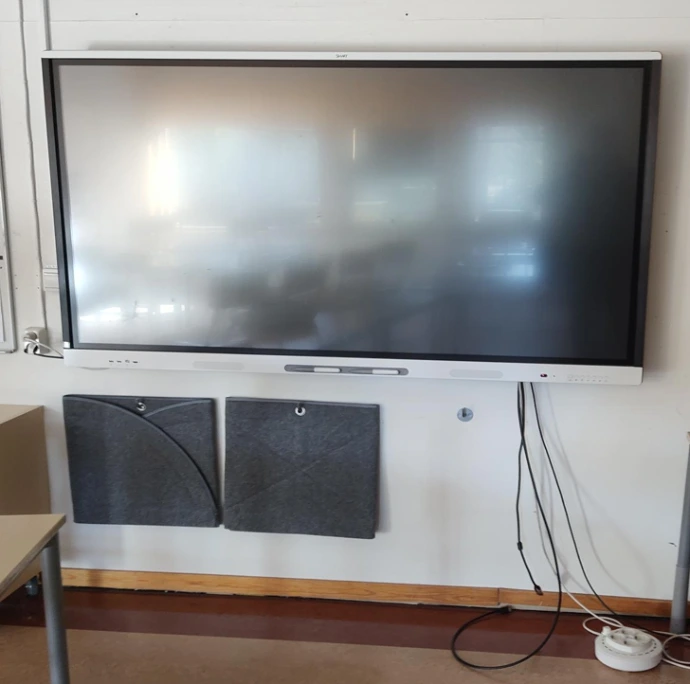
Det här är en helt ny skärm monterad i en skola i Stockholmsområdet. Installationen är enligt den enklast tänkbara standard som innebär att kablar kopplats in på baksidan av skärmen så att de hänger ner under den. En av kontakterna från skärmen, och en skarvdosa, ligger på golvet där de snart kommer att få möta golvmoppar och pölar från skor som varit ute i snön. 
En tuff miljö

Även installationer gjorda med installationsmaterial avsett för kontorsmiljö har det tufft i skolmiljön. På bilden ett uttag på en vägg där delarna släppt från varandra.

Allt detta kokar förstås ner i att det inte fungerar.

  • Ingen bild eller ljud från projektorn eller skärmen. 
  • Kablage går sönder och måste bytas hela vägen in i skärm eller projektorn
  • Kablage kan enkelt kopplas ut och försvinna

Lösning #1 
Connecto Mini

Fördelarna med Connecto Mini

  • Inget uttag på vägg som går sönder 
  • Dold dragavlastad koppling mellan anslutningskabel och installationskabel i installationszonen
  • Lätt att byta till ny anslutningskabel, finns både HDMi samt USB-C
  • Går ej att ta med sig anslutningskabeln
  • Kabelhållare för anslutningskabeln
  • Fungerar. Inga driftstopp
  • Finns i två varianter - 5 meter för skärm och 10 meter för projektor.

Beställ Connecto Mini

Ännu en utmaning

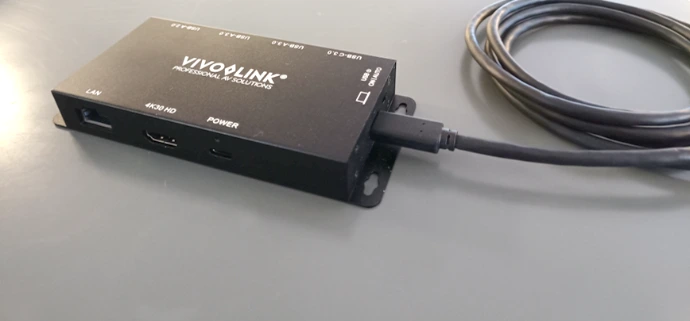
Dockningsstation 

Många kompletterar sitt rum med en dockningsstation. Den gör att man kan få bild, ljud samt laddning via en USB-C sladd.

Utmaningarna med detta 

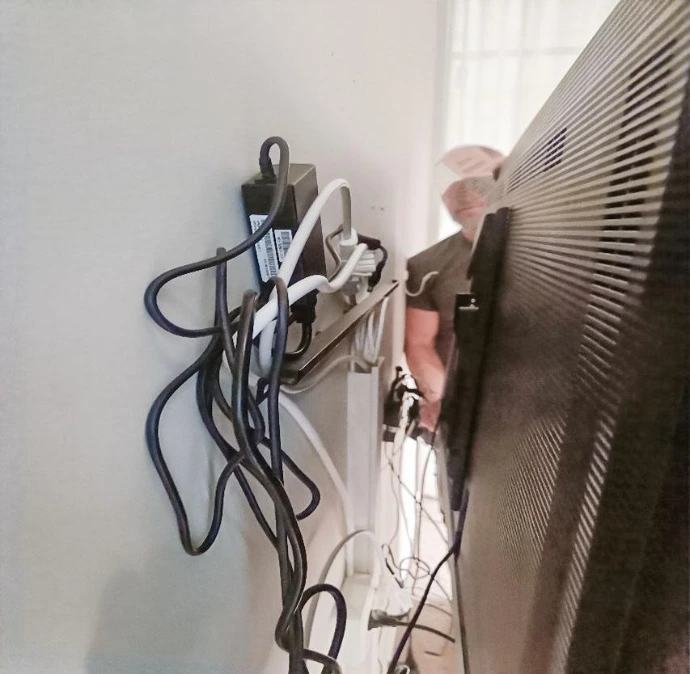
  • Dockningsstationen placeras bakom skärmen där den blir dammig och svår att felsöka eller byta.
  • Kablage kan enkelt dras ut av användare och 'få fötter'.
  • Kabel och elektronik ska inte packas tätt bakom en skärm av säkerhetsskäl.
Lösning #2 
FlexPanel Basic

Fördelarna med FlexPanel Basic

  • Driftsäker och snygg installation
  • Går ej att röra dockningsstationen och kablaget (vanligaste felet)
  • Enkel att drifta och underhålla
  • Lätt att byta till ny anslutningskabel
  • Kabelhållare för anslutningskabeln
  • Fungerar. Inga driftstopp

Beställ FlexPanel Basic

Lösning #3 
FlexPanel Eduacation

Fördelarna med FlexPanel Education

  • Avlastningshylla för PC och papper
  • Driftsäker och snygg installation
  • Går ej att röra dockningsstationen och kablaget
  • Enkel att drifta och underhålla
  • Lätt att byta till ny anslutningskabel
  • Kabelhållare för anslutningskabeln
  • Fungerar. Inga driftstopp

Beställ FlexPanel Education